Netverse :-
is a conceptual fusion of the internet and the metaverse, offering immersive, interconnected digital experiences through virtual and augmented realit

HOW THE INTERNET WORK
“The internet works like a giant web that connects millions of computers and devices around the world, allowing them to share information quickly and easily.”
''The internet is a global network where data travels in pieces between devices and servers, guided by smart technology, letting you browse, stream, or chat with anyone, anywhere”
Devices and Nodes: Your phone, computer, or tablet is a device that connects to the internet. These devices are like "nodes" in a network, linked to bigger nodes like servers (powerful computers that store websites and data).
Connections: These nodes are connected through cables (like undersea fiber-optic cables), satellites, and wireless signals. Think of it as roads and highways that data travels on.
Data Packets: When you visit a website or send a message, the information is broken into small pieces called "data packets." These packets travel across the network, sometimes taking different routes, and get reassembled at their destination.
Routers and Switches: Special devices called routers and switches act like traffic controllers, directing these packets to the right place by choosing the fastest or most efficient path.
Servers and Websites: Big computers called servers store the data you access, like websites or emails. When you request something (e.g., typing a URL), the server sends the data back to your device through the network.
Protocols: The internet uses rules called protocols (like HTTP or TCP/IP) to ensure devices can understand and communicate with each other, much like a common language.

THIS IMAGE SHOW THE CONNECTION OF INTERNET .
Why the Internet Matters :-
The internet matters because it has transformed how we live, work, and connect in countless ways. Here’s why it’s so important:
The internet is the backbone of modern life. It connects people, powers businesses, drives innovation, and spreads knowledge across the globe. From instant communication and online education to e-commerce and remote work, the internet has transformed how we live, learn, and grow.
Here's why it matters:
Connection: It bridges distances, allowing global communication in seconds.
Opportunities: It opens doors to jobs, learning, and entrepreneurship.
Innovation: It fuels new technologies, from AI to smart homes.
Empowerment: It gives a voice to people, communities, and movements.
Communication: It enables instant global communication through emails, video calls, and social media, connecting people across distances like never before.
Information Access: It provides a vast library of knowledge, allowing anyone with internet access to learn, research, or stay informed on any topic.
Economic Growth: Businesses thrive online through e-commerce, remote work, and digital services, creating jobs and opportunities worldwide.
Education: Online courses and resources make learning accessible to millions, breaking barriers of location and cost.
Innovation: It fuels technological advancements, from artificial intelligence to new apps, driving progress in every field.
Social Connection: It keeps families, friends, and communities linked, especially during times of isolation.
Entertainment: Streaming movies, music, and games offers endless entertainment options at our fingertips.
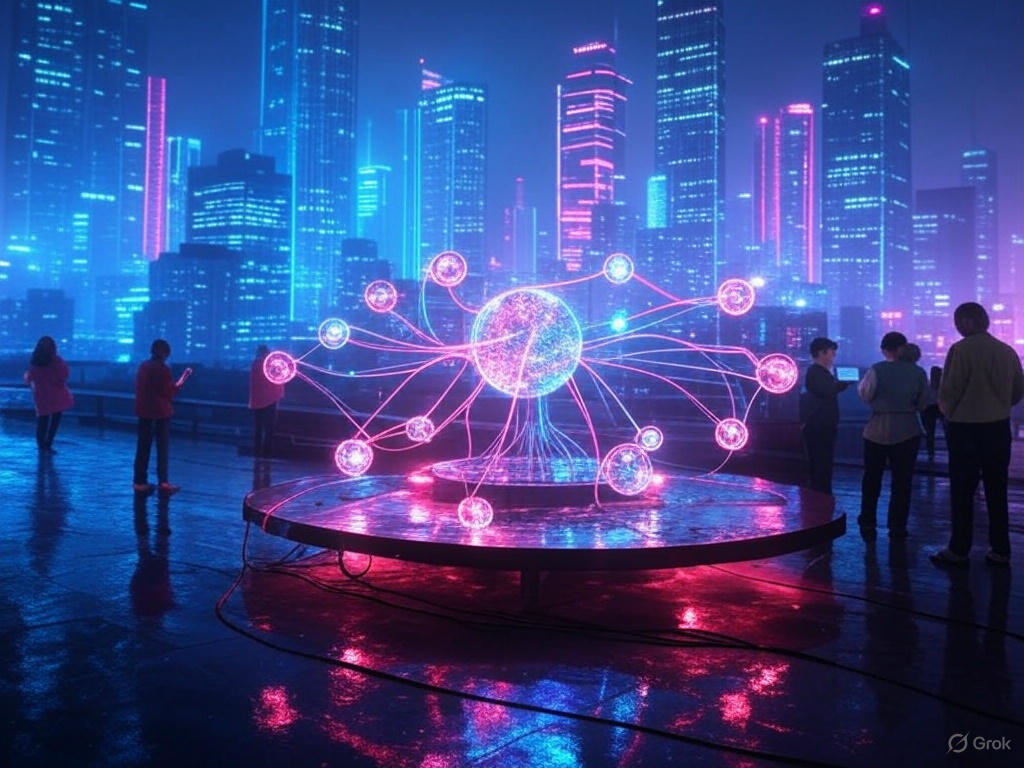
THIS IMAGE SHOW WHY INTERNET IS MATTER
FROM BROWSER TO SERVERR THE JOURNY OF YOUR DATA

The journey of your data from your browser to a server is like sending a letter across the world, but super fast! Here’s how it works in simple terms:
You Start with the Browser: When you type a website address into your browser (like Chrome or Safari) and hit enter, you’re asking to see that website. Your device (phone, computer, etc.) packages your request into small bits of data.
Your Device Sends the Request: This data travels from your device to your internet router (the box at home that connects you to the internet). It’s like handing your letter to a local post office.
Through the Internet Highways: The router sends the data through cables, wires, or wireless signals to bigger networks. These are like highways that connect cities, using special devices called routers to guide the data to the right place.
Reaching the Server: The data eventually arrives at a server—a powerful computer that stores the website. The server reads your request, gathers the website’s information (like text, pictures, and videos), and sends it back.
Back to Your Browser: The data travels back through the same highways, guided by routers, to your device. Your browser puts all the pieces together and shows you the website!
Super Fast Process: This whole trip happens in seconds because the data is broken into tiny packets and sent through the fastest routes, like a super-speedy delivery service.
Step-by-Step Journey of Your Data: From Browser to Server
1. User Action (Browser)
You type a URL in the browser or you fill a form and hit "Submit".
2. DNS Resolution
The browser checks DNS (Domain Name System) to convert the domain name (
example.com) into an IP address (e.g.,93.184.216.34) so it can locate the server.3. TCP/IP Connection
Your browser initiates a TCP (Transmission Control Protocol) connection with the server using the IP address. This ensures data can be sent and received reliably.
4. SSL/TLS Handshake (For HTTPS)
If it's an HTTPS site, an SSL/TLS handshake happens to securely encrypt your data — this keeps your info safe from eavesdropping.
5. HTTP Request Sent
Your browser sends an HTTP request (like
GET /index.htmlorPOST /form) to the server. This includes:URL
Headers (browser info, cookies)
Form data (for POST)
Other metadata
6. Server Processing
The server receives your request and does several things:
Checks the request type (GET, POST, etc.)
Retrieves or processes the required data
Interacts with a database if needed
Runs backend code (e.g., Python, Node.js, PHP)
7. HTTP Response Sent
The server sends back an HTTP response that includes:
Status code (e.g., 200 OK, 404 Not Found)
HTML or JSON content
Headers
Cookies (if applicable)
8. Rendering in the Browser
The browser receives the response and renders the webpage:
Parses HTML
Loads CSS, JavaScript, images
Displays the final output to the user
BREAKNG DOWN THE WORLD WIDE WEB :-
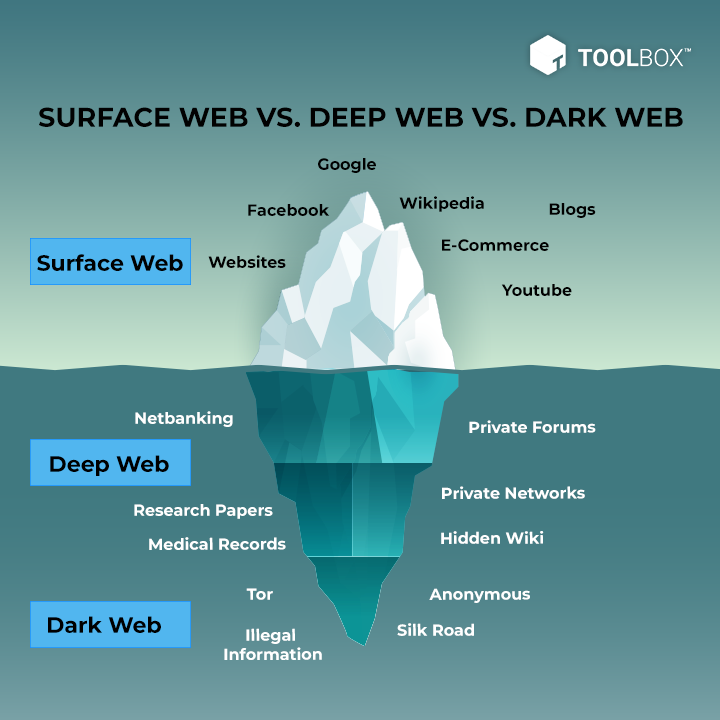
The World Wide Web (WWW) is like a giant digital library or a massive web of information that you can access using the internet. Here’s how it works, step by step:
What It Is: The WWW is a collection of websites and web pages connected through links. It’s built on the internet, which is the global network of computers.
Key Parts:
Websites: These are like individual books in the library, containing text, pictures, videos, etc. (e.g., google.com, wikipedia.org).
Web Pages: Each section of a website is a web page, like a page in a book.
Hyperlinks: These are clickable links that let you jump from one page or site to another, like a table of contents.
Browsers: Tools like Chrome or Firefox are like your library card—they help you find and read the web pages.
Servers: These are the storage rooms where websites are kept, managed by computers that send the data to your device.
How It Works:
When you type a website address (URL) in your browser, it sends a request to the server.
The server finds the website and sends the data back through the internet.
Your browser displays the web page, and you can click links to explore more.
Technologies Behind It:
HTML: The language that structures web pages (like the skeleton of a book).
HTTP/HTTPS: The rules for sending and receiving data (like the delivery system).
URLs: Unique addresses for every web page (like book ISBNs).
Why It Matters: The WWW connects people globally, letting us share information, shop, learn, and communicate instantly.
UNDERSTANDING THE BACKBONE OF INTERNET :-
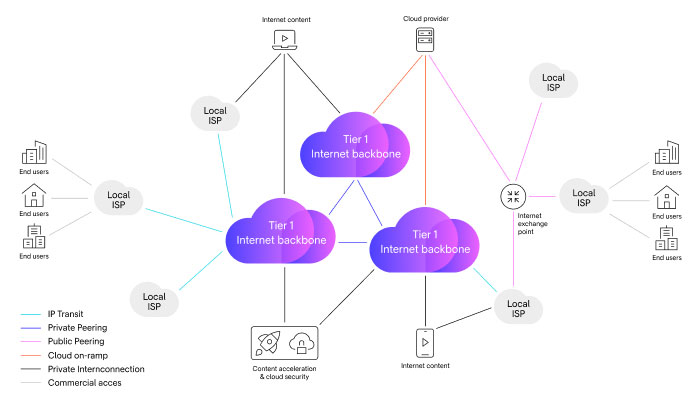
1. IP Address (Internet Protocol Address)
What It Is: An IP address is like a unique phone number for every device connected to the internet (computers, phones, servers, etc.). It helps identify where data should go.
Types:
IPv4 (e.g., 192.168.0.1): Older format with about 4.3 billion unique addresses.
IPv6 (e.g., 2001:0db8:85a3:0000:0000:8a2e:0370:7334): Newer format with trillions of addresses to handle more devices.
Role: It’s the backbone’s address system, ensuring data reaches the right device.
2. Domain Name
What It Is: A domain name (e.g., www.google.com) is the human-friendly name for a website or server. It’s easier to remember than an IP address.
How It Works:
The Domain Name System (DNS) acts like a phonebook. When you type a domain name, DNS translates it into the corresponding IP address.
Example: Typing "www.google.com" gets converted to an IP like "142.250.190.14".
Role: It connects the user-friendly web to the technical backbone, making navigation simple.
3. Routing
What It Is: Routing is the process of directing data across the internet from one device to another. It’s like a postal service deciding the best route for your letter.
How It Works:
Data is broken into small packets.
Routers (special devices) read the IP address on each packet and send it along the fastest path through a network of cables, satellites, and servers.
The backbone consists of high-speed fiber-optic cables and major data centers that carry this traffic globally.
Role: It ensures data travels efficiently from your device to the server and back.
How They Work Together
When you visit a website:
You enter a domain name (e.g., www.example.com).
DNS finds the IP address of the server hosting that site.
Routers use the IP address to send your request through the internet backbone.
The server responds, and the data returns via the same routing process.